AI can generate an app dashboard in seconds. It can suggest colours, create layouts, write button labels and even produce multiple screen variations. But if you are a beginner, there is probably one question bothering you: Where exactly should you use AI when designing an app?
Should you ask it to generate the entire application? Should you start with wireframes? Can it help you understand what screens you need? And more importantly, what happens when the generated designs do not work together?
These are common questions for anyone starting their design journey. Instead of treating AI as a magic design button, let’s explore how you can use it throughout an actual app design project.
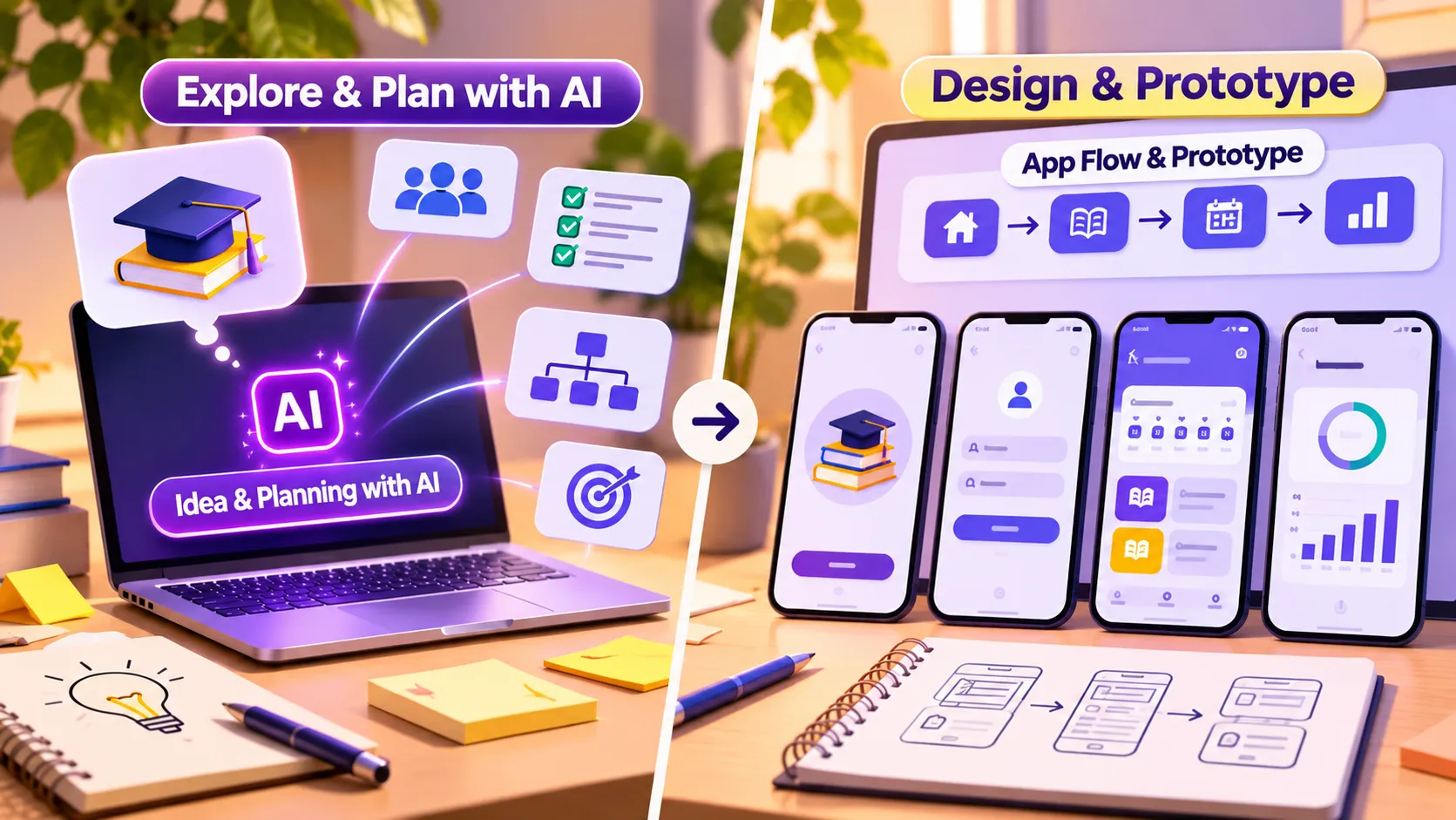
1. You Have an App Idea. What Should You Ask AI First?
Imagine you want to design a study planner for college students. You open an AI tool and type, “Design a modern study app.”
The result might look attractive, but does it understnow and your application’s purpose?
Not necessarily.
Before generating anything, use AI to explore your idea. Explain the target audience, the problem and what you want the application to accomplish.
For example, try this prompt:
“I want to design a study planner for college students who struggle to organise their daily learning schedules. Suggest the essential features, user needs and possible app sections.”
AI can help you generate:
- Potential user personas and their challenges.
- Essential application features.
- Possible navigation categories.
- Content ideas and user scenarios.
- Questions that require further user research.
Your first takeaway: Use AI to organise your thinking before asking it to create visual designs. This makes the entire process more purposeful.
2. You Know the Features. How Do You Turn Them Into Screens?
Now that you have a feature list, the next challenge is deciding which screens your application actually needs.
For our study planner, the application might require:
- Welcome and onboarding screens.
- Login and registration.
- Home dashboard.
- Subject selection.
- Lesson details.
- Study schedule.
- Progress tracking.
- User profile.
Here, AI can help translate your feature list into a screen inventory and suggest how users should navigate between them.
For instance, ask it to create a user flow showing how someone moves from the dashboard to a subject, selects a lesson and schedules a study session.
However, do not blindly accept every suggested screen. Some features might be unnecessary, while others may be missing.
Your second takeaway: AI can suggest the structure, but you must decide whether the screens make sense for the intended users.
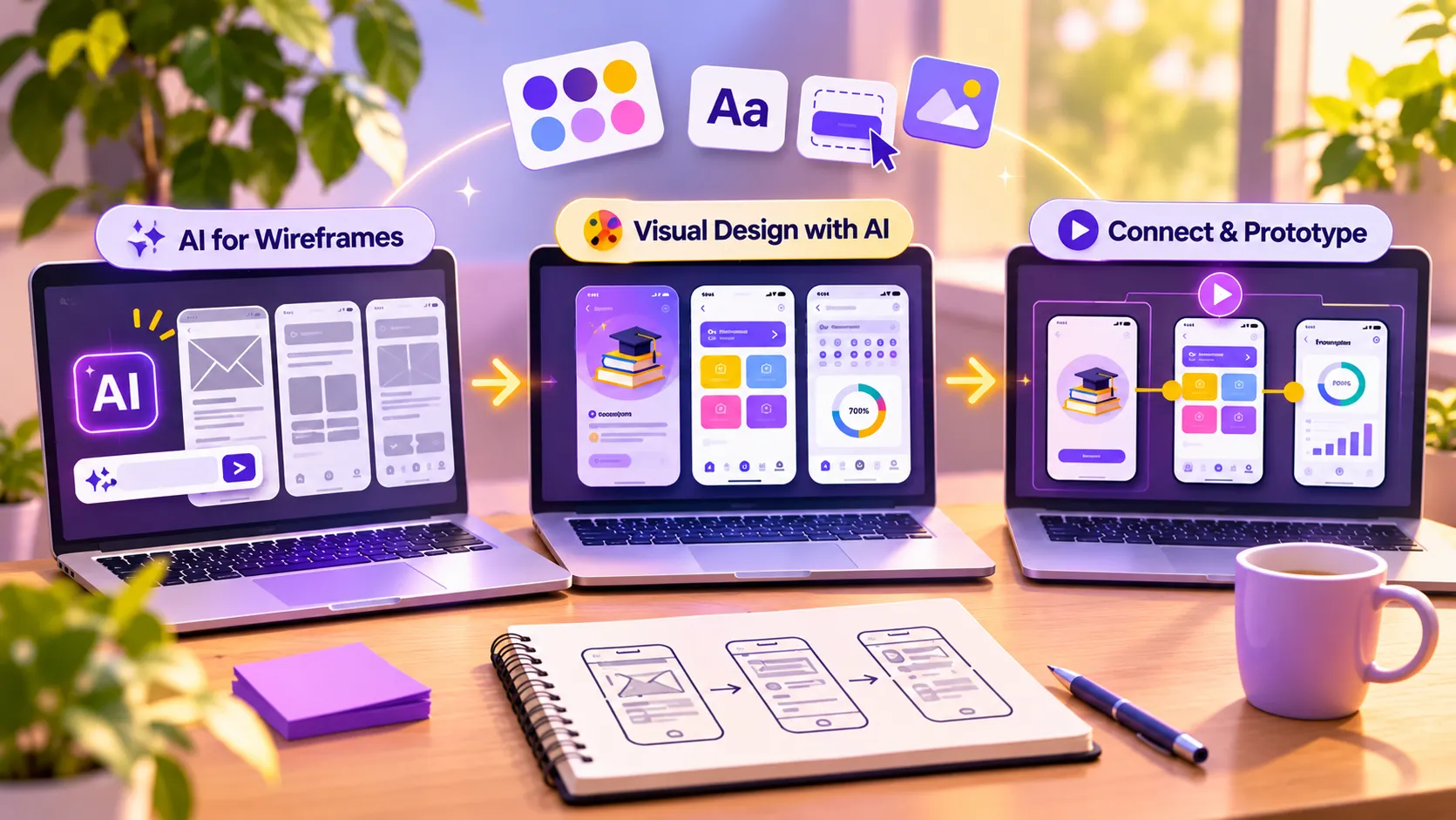
3. Can AI Help You Create Wireframes?
Absolutely! This is one of the most useful stages for beginners.
Wireframes establish the structure of an interface before you invest time in colours, typography and decorative elements.
You can use AI to:
- Suggest dashboard layouts.
- Explore different navigation arrangements.
- Generate basic screen structures.
- Recommend content placement.
- Compare alternative layouts.
Tools such as Google Stitch can generate UI concepts from text descriptions and visual references. Figma AI can also help generate and refine designs within a design workflow.
Nevertheless, remember that a generated wireframe is a starting point. Recreate and refine the structure in Figma, paying attention to spacing, alignment and information hierarchy.
Your third takeaway: Use AI to explore layout possibilities, not to avoid learning wireframing.
4. Your Wireframes Are Ready. Where Does AI Fit Into Visual Design?
This is where your application begins to look like a real product.
You need a consistent visual language rather than a collection of attractive screens.
For your study application, you might explore:
- Colour palettes suitable for an educational product.
- Typography combinations.
- Button and input styles.
- Cards, navigation bars and icons.
- Illustrations and supporting graphics.
Ask AI to suggest three different visual directions for your application. Compare them and choose one that matches your audience and product personality.
Additionally, AI can help generate placeholder content and alternative visual assets.
However, do not let every screen develop a different appearance. Establish reusable components and design tokens in Figma to maintain consistency.
Your fourth takeaway: AI can help you explore aesthetics, but you need design fundamentals to create a coherent interface.
5. Can AI Connect All Your Screens?
Now comes an interesting part.
You have your onboarding, dashboard, subject details and study planner screens. But can users actually move between them?
This is where prototyping becomes important.
Use Figma to connect buttons, navigation tabs and interactive elements. You can also explore AI-assisted prototyping tools to generate working interactions or starter implementations.
For example, a student should be able to:
- Open the application.
- Navigate to the dashboard.
- Select a subject.
- Open a lesson.
- Schedule a study session.
- View their updated progress.
Furthermore, include different interface states, such as empty schedules, completed lessons and error messages.
Your fifth takeaway: A collection of screens is not a complete experience. Users must be able to move through the application logically.
6. What Happens When AI Gets Something Wrong?
This is the stage beginners often overlook.
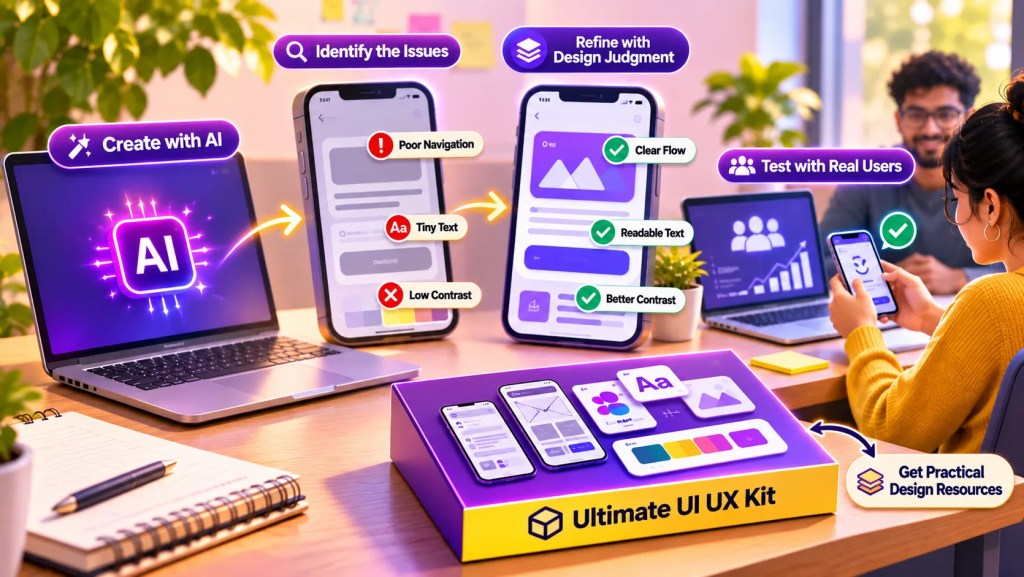
An AI-generated interface might look impressive but still contain usability problems.
For example:
- Important buttons might be difficult to find.
- Text might be too small.
- Navigation might be inconsistent.
- Colour combinations might lack sufficient contrast.
- Important actions might require unnecessary steps.
According to Figma’s 2024 AI Design Trends Report, 59% of surveyed designers and developers were already using AI in their work. Yet fewer than half of those using AI had actually launched something.
This demonstrates an important difference between experimenting with AI and successfully delivering a product.
Therefore, test your prototype with real users. Observe their interactions, collect feedback and improve the screens.
Your sixth takeaway: AI can accelerate creation, but usability testing and design judgement remain essential.
7. What Can You Actually Use AI For?
By now, you have seen how AI can support different stages of an app design project.
Here is a quick breakdown:
Where AI can help:
- Idea exploration and feature suggestions.
- User-flow brainstorming.
- Wireframe and layout exploration.
- Colour and typography suggestions.
- Interface content generation.
- Visual asset creation.
- Prototype exploration and starter code.
Where you still need design skills:
- Understanding genuine user requirements.
- Validating research and assumptions.
- Making information architecture decisions.
- Maintaining design consistency.
- Applying accessibility principles.
- Evaluating usability.
- Making final product decisions.
Google’s mobile performance research also highlights why the details matter: 53% of mobile site visits were likely to be abandoned when pages took longer than three seconds to load. Although this statistic concerns mobile websites, it illustrates how easily friction can affect digital experiences.
Consequently, learning design principles is just as important as experimenting with new AI tools.
8. Where Can Beginners Get Practical Design Resources?
One challenge beginners encounter is the lack of structured resources when moving from basic concepts to actual projects.
You might understand wireframing but struggle to create different screen layouts. Similarly, you might know colour theory but find it difficult to develop a consistent visual system.
This is where the Ultimate UI UX Kit by UI UX Growth Lab can help.
Instead of starting every project with a blank canvas, you get a collection of practical design resources that you can study, customise and use while developing your skills.
The kit includes:
- 20 Basic Wireframes.
- 12 Advanced Wireframes.
- 160+ App UI Cards.
- 100 Website Components.
- 30 Industry-Based Colour Palettes.
- 26 Typography Pairings.
- 70+ AI UX Practice Prompts.
- 50+ UI/UX Interview Questions.
- 9 Case Study Builder Templates.
Whether you are practising Study app UI design, exploring website layouts or trying to learn app design through practical exercises, these resources can help you experiment with different design possibilities.
Most importantly, use them as learning references. Understand how components are structured, why particular layouts work and how to adapt them to your own projects.
Explore the Ultimate UI UX Kit and start building your design resource library.
9. So, Can You Build a Complete App UI Using AI?
Yes, you can build a complete app UI using AI, but not by relying on AI alone.
AI can help you move from an initial idea to feature suggestions, wireframes, visual concepts and interactive prototypes. It can also reduce repetitive work and help you explore design alternatives faster.
However, a successful application still needs someone who understands its users, connects the screens, maintains consistency and evaluates the overall experience.
That is precisely why structured UI and UX training matters. Learn the fundamentals, experiment with AI, practise in Figma and build projects that demonstrate your decision-making skills.
Don’t aim to become someone who can generate an app screen with a prompt. Aim to become someone who knows what to generate, why it matters and how to make it work.
Frequently Asked Questions (FAQs)
Yes. AI can help beginners understand design concepts, explore layouts and generate ideas. However, learning wireframing, typography, visual hierarchy and prototyping is still important.
Beginners can explore ChatGPT for ideation, Google Stitch for UI generation and Figma AI for design assistance. Each tool serves different purposes within the workflow.
Yes. Figma helps you organise screens, build reusable components, maintain consistency and create interactive prototypes. These are important skills for professional UI/UX work.
Yes, provided you demonstrate your own contribution. Include the problem statement, research, wireframes, design decisions, refinements and usability testing rather than presenting only generated screens.
Can You Build a Complete App UI Using AI? Yes, But There’s a Catch!
AI can make app designing faster, but knowing how to use it effectively makes all the difference. According to Figma’s 2024 AI Design Trends Report, 59% of surveyed designers and developers were already using AI in their work, demonstrating how quickly it is becoming part of the design process. However, generating screens is only one part of creating a successful application. You still need to understand user needs, visual hierarchy, wireframing and prototyping. If you are a beginner, start building these skills alongside AI experimentation.
The Ultimate UI UX Kit by UI UX Growth Lab gives you practical wireframes, app UI cards, reusable components, AI UX prompts and case study templates to support your learning journey. Don’t just generate designs with AI. Learn to think, design and build like a UI/UX designer.
Stop Watching Tutorials. Start Designing for Real.
No coding. No confusing theory. Just practical UI UX skills, real projects, portfolio building, and mentorship that helps beginners become industry-ready designers.


Bidisha Sen
https://uiuxgrowthlab.comI’m a Lead UI/UX Designer and mentor with 3.5+ years of experience in UI/UX design. I transitioned into design after spending 5 years in IT business development, progressing from Business Development Executive to Senior Business Development Executive. Today, I combine my understanding of business, users, and design to help aspiring designers build practical skills and industry-ready portfolios.