What If the First Design Is Already There?
For years, the design process seemed straightforward.
A problem appeared. A designer explored it. Then came wireframes, layouts, prototypes, visual design, and eventually development.
Somewhere in that process, Figma became the place where ideas started becoming real.
Now that sequence is changing.
AI can generate layouts, interactions, responsive pages, content, and even working websites from a simple description. Figma itself now offers AI-powered website and product-building workflows through Figma Make, where users can describe what they want and generate a functioning starting point.
That creates a strange question for anyone searching for the best figma course:
What happens when AI reaches the first version before you do?
This isn’t simply about whether AI can design.
It is about whether the starting point of design is changing.
The Design Process Is Starting to Look Different
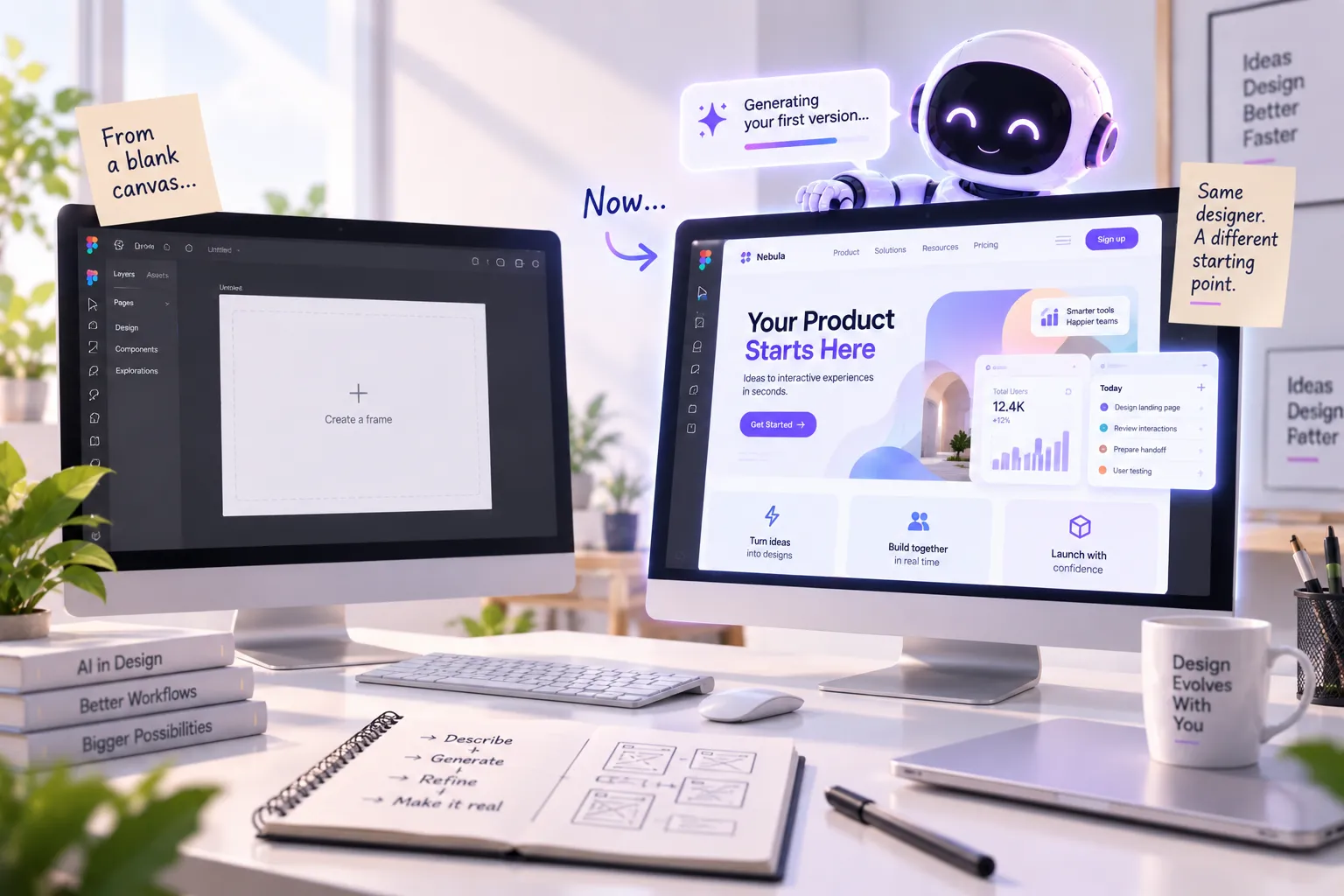
Traditionally, learning UI design meant becoming comfortable with a blank canvas.
You opened Figma.
You created a frame.
Then you started making decisions.
However, AI can now reverse part of that process.
Instead of beginning with an empty screen, a designer can describe a product, website, or interaction and receive an initial version almost immediately. Figma says its AI website builder can generate structure, layout, interactions, responsive pages, and logic from natural-language prompts.
That doesn’t mean the designer disappears.
It means the designer may enter the process after something already exists.
And that changes what learning Figma should actually prepare you for.
What Changes When Business Goals Enter UX Design?
Imagine an online shopping website.
The customer wants a quick checkout. The company wants customers to complete their purchases. In this case, the two goals can support each other.
Now imagine that the company wants customers to create an account before completing an order.
The user may see this as an unnecessary step. The business, however, may need accounts for order tracking, customer service, fraud prevention, or future purchases.
A UX designer cannot simply say, “The user does not want this, so remove it.”
Instead, the designer can ask a better question:
How can the business achieve its objective without creating unnecessary frustration?
Perhaps account creation can happen during checkout. Maybe the reason can be explained clearly. Alternatively, information could be saved so customers do not repeatedly enter it.
This is where Affordable ui ux design training near me should go beyond teaching screens and software. Real design involves understanding why a requirement exists before deciding how it should work.
What Happens When AI Gets the First Draft?
Imagine you’re asked to design a landing page for a new product.
Previously, you might have started with:
- A blank Figma file
- A rough wireframe
- A layout exploration
- Several visual directions
- A prototype
- Feedback and revisions
Now imagine receiving three working versions before you’ve drawn a single rectangle.
That’s already becoming possible.
AI website-building workflows can generate hero sections, feature grids, navigation, pricing areas, interactions, and other interface elements from prompts.
Suddenly, the valuable question isn’t:
“Can you create a screen?”
It becomes:
“Can you recognize which screen should exist?”
That distinction is huge.
A tool can produce something quickly. It doesn’t automatically mean the result solves the right problem.
I Can Build the Interface. But Can It Choose the Right One?
This is where the conversation becomes much more interesting.
Figma’s 2026 AI research found that 90% of respondents believe design is at least as important as it was before AI. The same research found that designers participating in development doubled to 41%, while developers doing design work increased to 60%.
Why would design become more important when AI can create more of it?
Because generating possibilities is becoming cheaper.
Choosing between possibilities is not.
Suppose AI gives you five homepage concepts.
All five look polished.
Which one should you keep?
What should be removed?
Which interaction creates unnecessary friction?
Does the hierarchy make sense?
Is the content helping users make a decision?
Does the experience support the product’s objective?
Those decisions still require judgment.
So, when evaluating the best figma course, the more useful question isn’t simply whether it teaches you how to make beautiful interfaces.
It should help you develop the thinking required to judge, change, and improve interfaces.

Why Learning Figma Still Matters When AI Can Design
At first glance, AI might make learning Figma seem less important.
After all, if a prompt can produce a website, why spend time learning the tool?
There is a flaw in that assumption.
A generated design is only a starting point.
You still need to inspect it, understand it, restructure it, refine it, and communicate why something should change.
That’s where Figma remains valuable.
A designer who understands layout, spacing, hierarchy, components, responsive behavior, prototyping, and visual systems can take an AI-generated starting point and turn it into something considerably better.
Someone who doesn’t understand those fundamentals may simply accept whatever appears on the screen.
And that’s the real danger.
AI can reduce the time required to produce a design without reducing the need to understand design.
The New Skill May Be Knowing What to Change
This could become one of the biggest differences between learning design before AI and learning design now.
Previously, beginners often worried about creating something from scratch.
Now they may have the opposite problem.
They may have too many starting points.
AI can generate a direction in seconds. The challenge becomes knowing whether that direction deserves to survive.
That requires skills such as:
- Visual judgment
- UX reasoning
- Information hierarchy
- Interaction thinking
- Product understanding
- Content judgment
- Accessibility awareness
- Design-system thinking
- Critical evaluation
Consequently, a strong figma ui design course shouldn’t treat Figma as the final destination.
The software is the environment.
Your decisions are the actual skill.
What Should a Designer Learn When AI Can Do More?
This is where your learning approach matters.
A useful figma ui design course should still teach the fundamentals of interface design and the practical mechanics of creating digital experiences.
However, those skills become much more valuable when they’re connected to real design decisions.
You should understand not only how to create:
- Components
- Responsive layouts
- Prototypes
- Design systems
- Interfaces
- User flows
You should also understand why those things exist and when to change them.
That’s why a practical learning structure matters.
UI UX Growth Lab’s What You Will Learn page covers the broader learning areas expected across UI/UX design rather than treating software knowledge as the entire profession. What You Will Learn at UI UX Growth Lab
That distinction becomes increasingly important in an AI-assisted design environment.

Are We Moving From Designing Screens to Editing Products?
Possibly.
Think about the difference.
Old starting point
Problem → Designer → Figma → Prototype → Development
Emerging workflow
Problem → AI-generated direction → Designer → Figma/code → Testing → Refinement
The second workflow doesn’t remove the designer.
Instead, it moves the designer closer to evaluation and decision-making.
Figma’s current AI products already blur the traditional boundary between design and development. Its AI website builder allows users to move from an idea to an interactive site and continue refining it within the same environment.
That means the distinction between designing the interface and building the interface is becoming less rigid.
For designers, that could be uncomfortable.
It could also be an opportunity.
Why the Best Figma Course May Not Look Like a Figma Course
This is the part many learners may overlook.
If AI becomes increasingly capable of producing the first version, simply knowing where every Figma feature is located becomes less valuable.
Imagine two designers.
Designer A knows hundreds of Figma features but accepts the first AI-generated layout.
Designer B knows fewer shortcuts but can explain why the layout is wrong, restructure the hierarchy, improve the interaction, and connect the solution to the user’s actual need.
Who is more valuable?
The answer becomes clearer as AI improves.
The best figma course therefore shouldn’t only make you faster at operating software.
It should make you better at seeing what needs to change.
AI Doesn’t Remove the Need to Learn Design
There is another misconception worth challenging.
If AI can create interfaces, some people may assume that learning UI/UX is becoming pointless.
Current evidence doesn’t support such a simple conclusion.
Figma’s 2026 designer research found that 91% of surveyed designers said AI tools improve their designs, while 89% said AI helps them work faster.
Notice what those findings suggest.
Designers aren’t necessarily choosing between AI or design.
They’re increasingly combining them.
That means the advantage may go to designers who understand both sides:
human judgment + AI capability.
A good Best figma courses online search should therefore lead you toward learning that prepares you to work with modern workflows rather than simply memorizing software functions.
What Happens to Figma When AI Gets Better?
This is perhaps the most interesting question.
Figma may not disappear.
Instead, its role could change.
The blank canvas may become less important.
The refinement environment could become more important.
Designers might increasingly use Figma to:
- Examine AI-generated ideas
- Compare directions
- Refine layouts
- Build systems
- Test interactions
- Collaborate with teams
- Establish visual rules
- Communicate decisions
- Move between design and implementation
In other words, Figma could become less about starting from nothing and more about shaping what already exists.
That is a very different future from simply replacing designers with AI.
The Real Advantage May Not Be Designing Faster
AI is making production faster.
That’s already happening.
The bigger shift is that when production becomes faster, bad decisions also become faster to produce.
A weak idea can now become a polished interface in minutes.
A poor user flow can look convincing.
A confusing product can receive beautiful visual treatment.
Therefore, designers who can identify the difference between something that looks finished and something that actually works become increasingly important.
That’s why the future of design isn’t necessarily about humans competing with AI at producing screens.
It may be about humans becoming better at deciding which screens deserve to exist in the first place.
Frequently Asked Questions (FAQs)
Yes. AI can accelerate design production, but designers still need to understand layout, interaction, hierarchy, systems, and product decisions. Figma’s own 2026 research indicates that design remains highly important in AI-assisted product development.
AI may change how Figma is used, but it does not automatically replace the need for a design environment. Figma is increasingly combining AI generation, visual editing, collaboration, prototyping, and product-building workflows.
Learn UX thinking, visual design, interaction design, prototyping, design systems, accessibility, product thinking, and the ability to evaluate and communicate design decisions.
Yes, provided the course goes beyond software operation. As AI makes interface production faster, understanding design decisions and practical product workflows becomes even more valuable.
A figma ui design course can build important practical skills, but becoming a capable UI/UX designer requires more than knowing the software. You also need to understand users, problems, interactions, visual systems, and product context.
Conclusion
AI may generate the first concept, the first layout, the first prototype, or even the first working version before a designer opens Figma.
But that doesn’t make learning design irrelevant.
It changes what being good at design means.
The strongest designers won’t necessarily be the people who can produce the most screens manually. They may be the people who can look at what AI produces and immediately understand what is useful, what is wrong, what is missing, and what should happen next.
So, when searching for the best figma course, don’t only ask which one can teach you Figma.
Ask whether it can help you become the person who knows what to do when AI gets there first.
Because the future may not belong to the designer who creates the first version.
It may belong to the designer who knows which version is worth keeping.
Stop Watching Tutorials. Start Designing for Real.
No coding. No confusing theory. Just practical UI UX skills, real projects, portfolio building, and mentorship that helps beginners become industry-ready designers.


Bidisha Sen
https://uiuxgrowthlab.comI’m a Lead UI/UX Designer and mentor with 3.5+ years of experience in UI/UX design. I transitioned into design after spending 5 years in IT business development, progressing from Business Development Executive to Senior Business Development Executive. Today, I combine my understanding of business, users, and design to help aspiring designers build practical skills and industry-ready portfolios.