UI UX Designer Course Free: Theory to Industry Skills
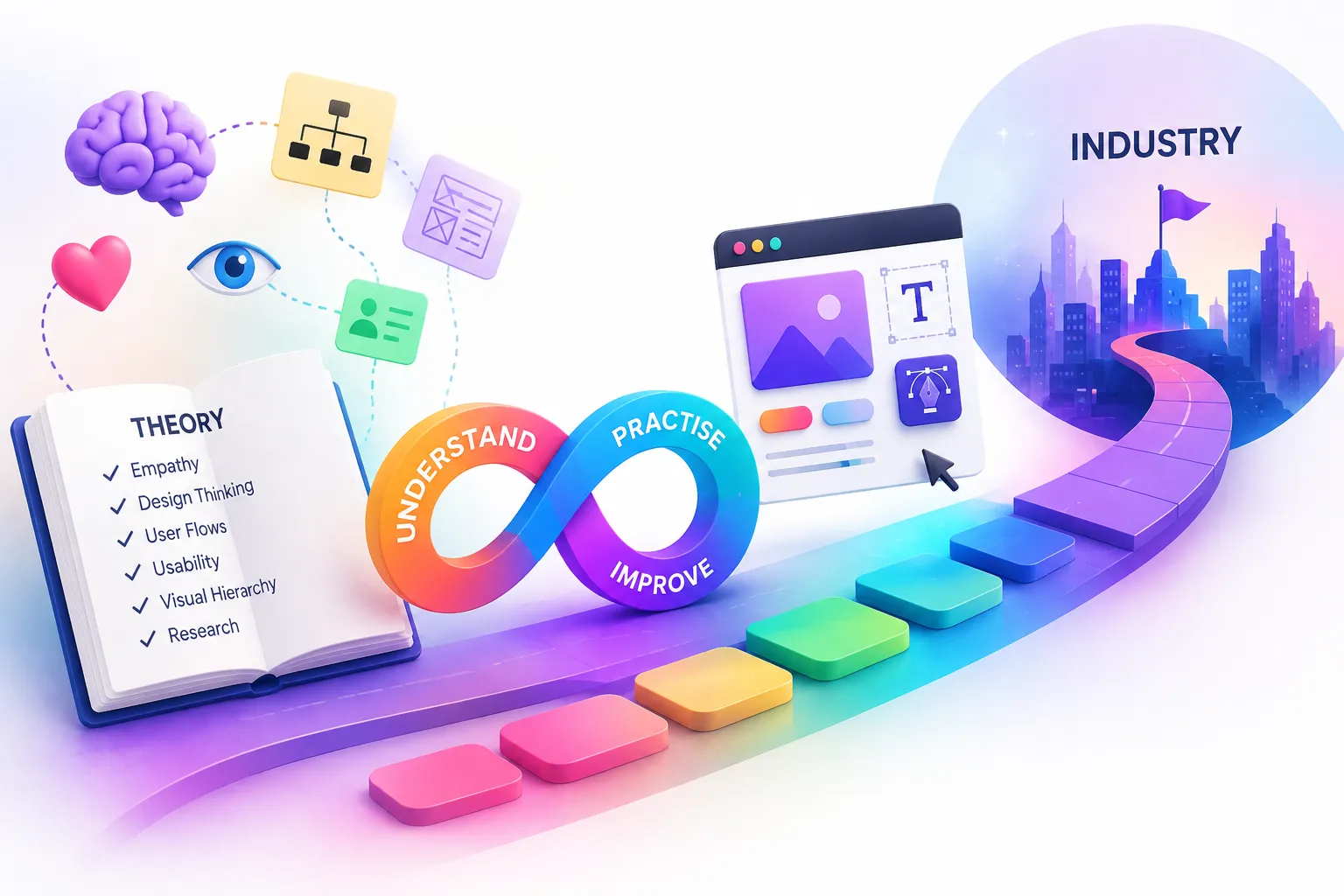
Learning UI/UX design often begins with theory. You may study empathy, user experience, design thinking, usability, visual hierarchy, user flows, and research methods. Those concepts are important because they help you understand why designers make certain decisions.
However, understanding a concept and actually designing are two different experiences.
An aspiring designer can explain what empathy means but still feel unsure when given a real project brief. Someone may understand user flows yet struggle to decide which screens a product actually needs. Another learner might know Figma but find it difficult to turn an idea into a complete interface.
That is why a UI UX Designer Course Free should not be judged only by the amount of theory it provides. The more useful question is whether your learning gradually helps you understand design, practise it, and see how designers adapt their skills to different projects.
What Does Figma Usage Look Like in the Real World?
Figma’s growing adoption also provides useful context for aspiring designers.
According to Figma, India is its second-largest active user base globally, and Indian users created more than 35 million Figma files between October 2024 and September 2025
Theory Gives You the Foundation
Theory is not something aspiring designers should skip.
Before creating an interface, you need some understanding of the principles behind it. Otherwise, design decisions can become purely visual choices without a clear reason.
A foundation may include:
- User experience principles
- Design thinking
- Visual hierarchy
- Information architecture
- User flows
- Usability
- Typography
- Colour
- Accessibility
- Interaction principles
For instance, learning about empathy helps you recognise that users may approach a product differently from the person designing it. Likewise, understanding hierarchy helps you decide which information deserves attention.
Nevertheless, theory becomes much more valuable when you eventually use it.
Knowing the principle is the beginning; applying the principle is where your design skill starts developing.
Practical Skills Turn Knowledge Into Design
Suppose you have learned that users need a clear path through an interface. The next step is to create that path.
You might receive a simple brief:
Design an appointment-booking experience for a mobile application.
Now the learning becomes practical.
You need to decide what happens first, what information belongs on each screen, how users move between steps, and what feedback they receive after an action.
During this process, you may practise:
- Creating user flows
- Developing wireframes
- Designing UI screens
- Building components
- Using Figma
- Creating prototypes
- Adapting layouts
- Reviewing your own decisions
- Iterating on the interface
Consequently, a UI UX Designer Course Free becomes more useful when theoretical lessons are connected to actual design tasks.
Instead of simply finishing a module, you have something tangible to show for what you learned.
What Is the Difference Between Learning Design and Doing Design?
The difference becomes obvious when you compare a question with an action.
Learning:
“What is a user flow?”
Doing:
“Which journey should this user follow to complete the task?”
Learning:
“What is visual hierarchy?”
Doing:
“Which information should receive the strongest visual emphasis on this screen?”
Learning:
“What is a component?”
Doing:
“Which elements in this project should be reusable?”
Therefore, practical learning is not about ignoring theory. Rather, it gives theory somewhere to go.
A useful learning cycle looks like this:
Understand → Apply → Review → Improve
Over time, the decisions become more natural because you have encountered different design situations.
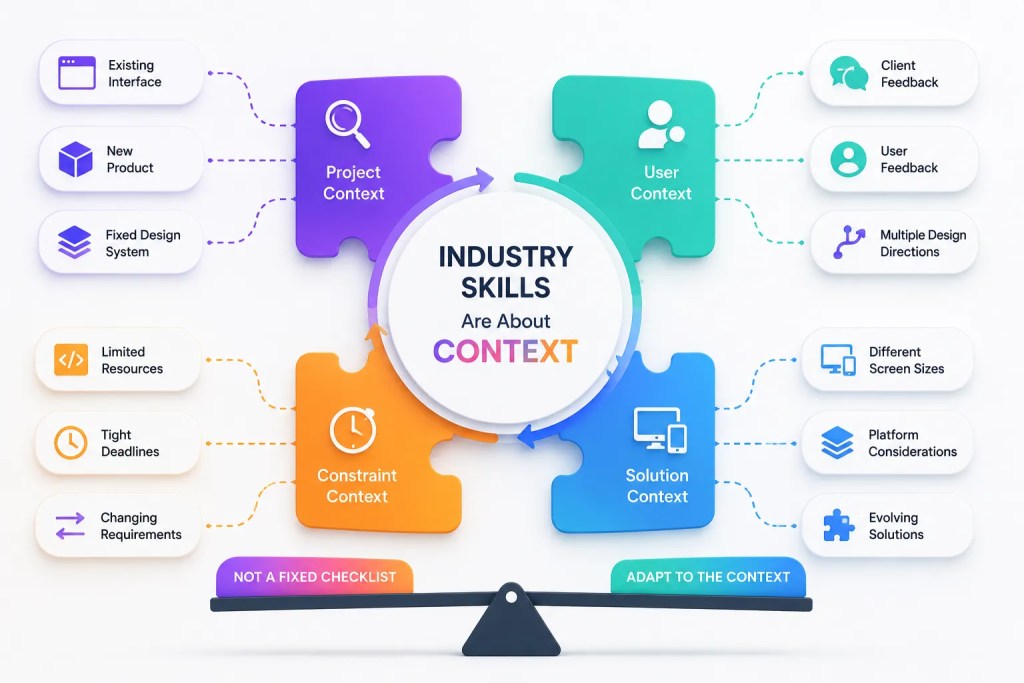
Industry Skills Are About Context, Not a Fixed Checklist
Industry-oriented learning is sometimes misunderstood.
A designer does not necessarily need to conduct formal user research on every project. Likewise, every designer does not need to create an entire design system, manage developers, or perform usability testing on every assignment.
Those skills can be valuable, but their relevance depends on the project, role, organisation, and level of responsibility.
What matters more is understanding how design work changes according to context.
A project may involve:
- An existing interface that needs improvement
- A completely new product
- A fixed design system
- Limited development resources
- Changing requirements
- Client feedback
- Existing user feedback
- Tight deadlines
- Different screen sizes
- Multiple design directions
For example, a designer working on a small website may not need the same process as someone designing a large SaaS platform.
Thus, industry skills are less about memorising a mandatory checklist and more about learning how to adapt your design approach to the situation.
How Does a Real Design Task Differ From a Classroom Exercise?
A classroom exercise usually provides a defined problem.
You might be told:
“Create a food-delivery application.”
That gives you a starting point.
Real projects can be less straightforward. A requirement might simply be:
“Improve the checkout experience.”
Now, you need to understand the existing experience, identify what needs attention, explore possible solutions, and make decisions within the available constraints.
This is where practical experience becomes particularly valuable.
Figma’s 2025 State of the Designer research surveyed 943 designers and developers across the U.S., APAC, and Europe, examining collaboration, AI, and how teams work together.
The finding is relevant for aspiring designers because professional design doesn’t happen inside Figma alone. It exists within a wider product-development environment.
What Should a Good UI/UX Learning Experience Include?
When evaluating a UI UX course online free, don’t focus only on how many videos or modules are available.
Instead, look for opportunities to move between understanding and application.
A useful learning experience can include:
- Design fundamentals
- Figma practice
- Wireframing exercises
- UI projects
- Prototyping
- Responsive design
- Realistic design briefs
- Portfolio development
- Feedback and iteration
- Opportunities to explain design decisions
Similarly, when reviewing ui ux course details, consider what you will actually do during the learning process.
A module titled “User Experience” sounds useful, but the more meaningful question is whether you will use those concepts to analyse or design something.
Don’t Judge a Course Only by Its Syllabus
A ui ux course syllabus pdf can be useful when comparing learning options. However, the list of topics doesn’t tell the complete story.
Imagine two syllabi containing the same subjects:
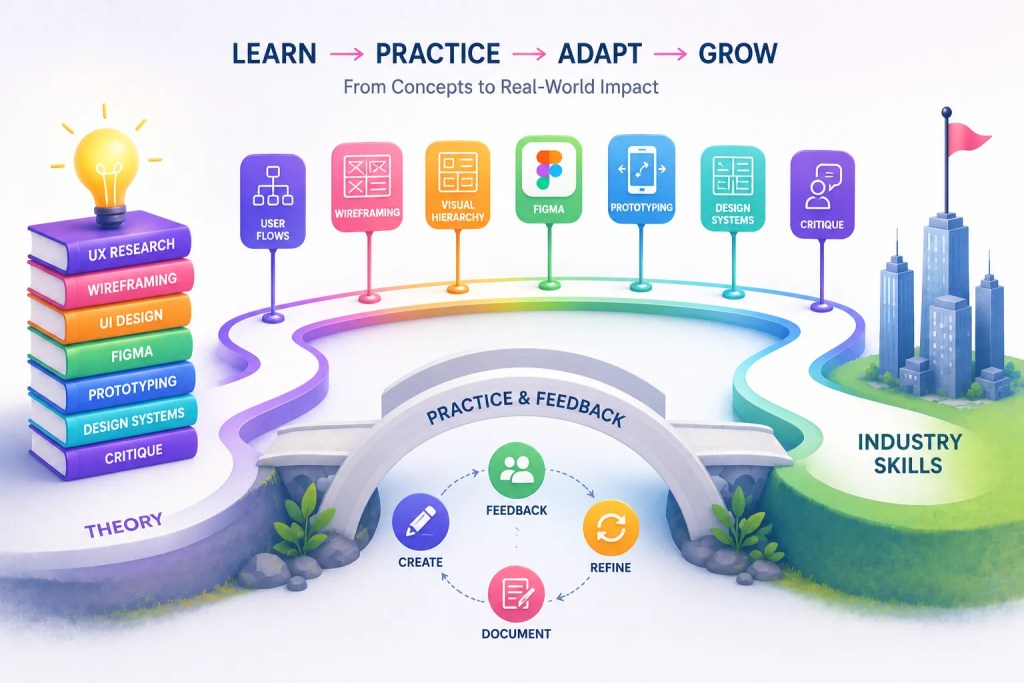
UX Research → Wireframing → UI Design → Figma → Prototyping
One learner may spend most of the time watching demonstrations.
Another may study the same concepts and then create projects, receive feedback, revise their work, and document their decisions.
The topics are identical.
The learning experience is not.
Therefore, when you review a ui ux course syllabus pdf, look for the connection between the topic and the work you will actually perform.
A Practical Way to Move From Theory to Industry Skills
You don’t need to wait until you finish every theoretical topic before beginning practical work.
Instead, connect each concept with a small design exercise.
Learn user flows
Create a booking journey with several possible paths.
Learn wireframing
Turn a brief into a basic screen structure.
Learn visual hierarchy
Redesign a cluttered interface and explain what changed.
Learn Figma
Build the interface rather than merely watching someone create it.
Learn prototyping
Connect the important screens into a realistic flow.
Learn design systems
Identify repeated patterns and make them reusable.
Learn critique
Explain what you would change after receiving feedback.
Gradually, your learning shifts from remembering concepts to making decisions.
UI UX Growth Lab: Learning Through Practical Application
This is where a structured learning environment can make a difference.
At UI UX Growth Lab, the learning approach combines UI/UX fundamentals with hands-on projects, Figma, wireframing, prototyping, portfolio development, and mentor feedback. The platform describes its focus as practical, project-based learning rather than theory alone.
You can explore the complete learning journey through What You Will Learn at UI UX Growth Lab.
The goal isn’t to suggest that every designer needs to follow exactly the same process. Instead, practical learning gives beginners an opportunity to experience what happens when design concepts have to become actual screens, flows, and project decisions.
For example, the Beginner UI/UX Training includes Figma, design fundamentals, wireframing, practical exercises, and three guided projects across website and mobile design.
What Should Your Learning Journey Ultimately Build?
A strong UI UX Designer Course Free should help you move toward several forms of capability.
Understanding
You know the principles behind design decisions.
Creating
You can turn an idea into a usable interface.
Explaining
You can communicate why you made particular choices.
Adapting
You can modify your approach when the project changes.
Improving
You can review feedback and make the design stronger.
These abilities don’t necessarily develop in a straight line. Sometimes you may return to theory after encountering a practical problem. Likewise, an industry project may introduce a concept you haven’t previously explored.
That is completely normal.
Frequently Asked Questions (FAQs)
Yes. Theory provides the foundation for understanding users, interfaces, usability, hierarchy, and design principles. However, practical application is necessary to turn that understanding into design ability.
It can, particularly when the learning includes exercises and projects. The important factor is not simply whether the course is free, but whether you have opportunities to apply what you learn.
Look for structured fundamentals, practical exercises, Figma, UI and UX projects, prototyping, feedback opportunities, and portfolio development rather than focusing only on the number of lessons.
Not by itself. A syllabus can show you the topics covered, while projects, teaching methods, feedback, mentorship, and practical assignments reveal how those topics are taught.
Look at the learning format, project work, tools, mentorship or feedback, portfolio support, duration, and the type of practical work included.
No. Different roles and projects require different skills. Understanding a broad range of methods is useful, but you will use them according to the needs of your role and project.
Conclusion
A UI UX Designer Course Free can give you an accessible starting point, but becoming a capable designer involves more than understanding terminology.
Theory helps you understand why design principles matter.
Practical work teaches you how to use those principles while creating something.
Industry exposure helps you understand how your approach can change depending on the project, role, constraints, and working environment.
Therefore, when exploring a UI UX course online free, don’t ask only how much information you will receive. Ask what you will actually create and practise.
Likewise, when examining ui ux course details, look beyond certificates and module counts. Consider whether the learning experience gives you opportunities to make decisions, experiment, receive feedback, and improve.
Ultimately, a UI UX Designer Course Free should not be measured only by how much theory you can remember after completing it.
The stronger measure is what you can understand, create, explain, and improve when you are given a real design problem.
That’s the shift from learning about UI/UX to learning how to practise UI/UX.
Stop Watching Tutorials. Start Designing for Real.
No coding. No confusing theory. Just practical UI UX skills, real projects, portfolio building, and mentorship that helps beginners become industry-ready designers.


Bidisha Sen
https://uiuxgrowthlab.comI’m a Lead UI/UX Designer and mentor with 3.5+ years of experience in UI/UX design. I transitioned into design after spending 5 years in IT business development, progressing from Business Development Executive to Senior Business Development Executive. Today, I combine my understanding of business, users, and design to help aspiring designers build practical skills and industry-ready portfolios.