Why Does Your Design Look Good but Still Feel Like Someone Else’s Work?
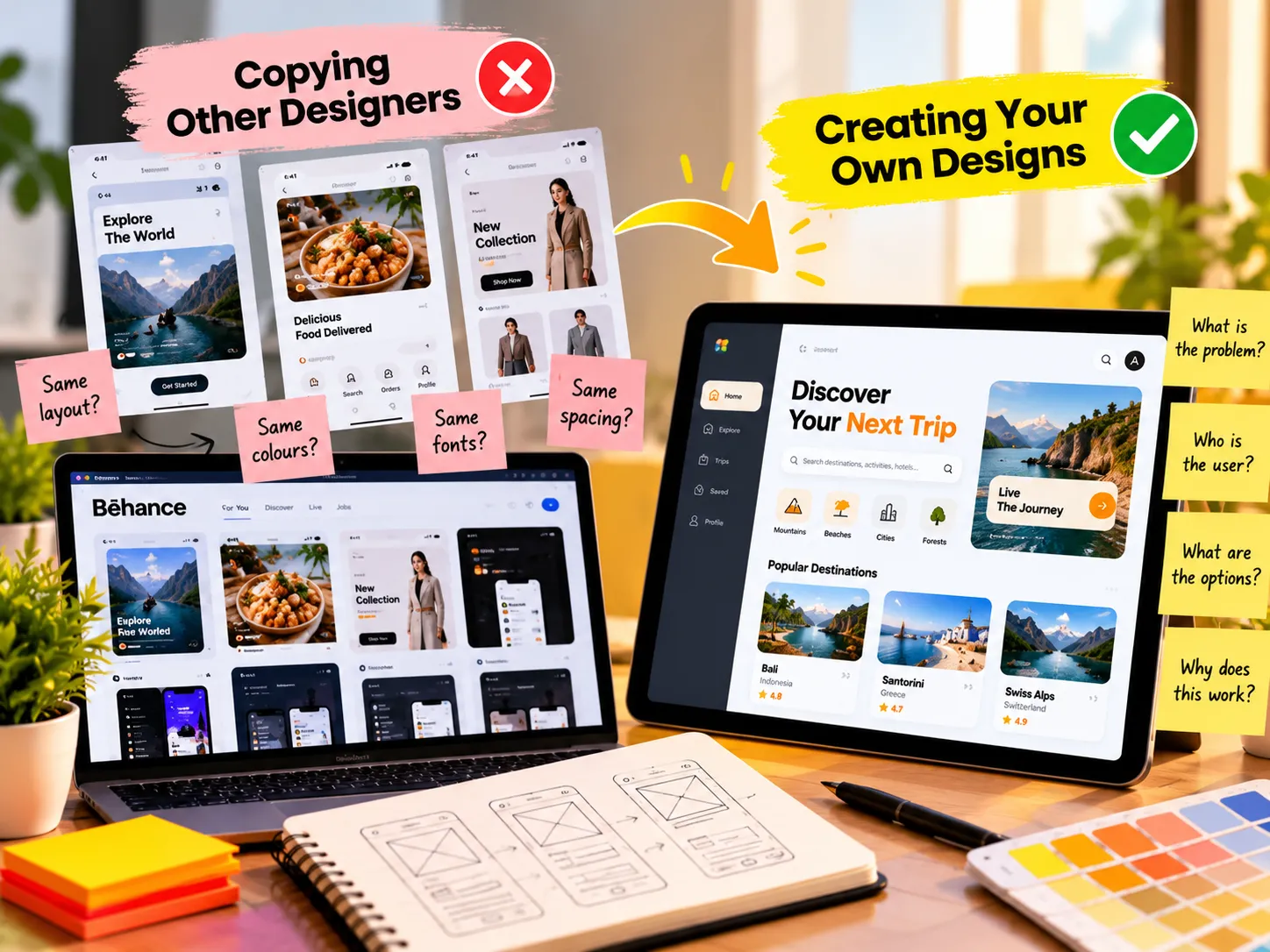
You find a beautiful mobile app on Behance. You recreate its layout, match the typography, adjust the colours, and replicate the spacing. Your final design looks impressive, but when you start your next project, you struggle to decide what to create without another reference.
Sound familiar?
This is a common challenge in UI UX learning. Beginners often become skilled at reproducing interfaces before developing the confidence to make independent design decisions.
There is nothing wrong with studying other designers’ work. The problem begins when inspiration becomes imitation.
Your goal should not be to design like someone else. It should be to understand why a design works and learn how to make your own decisions.
Inspiration Is Useful Until It Replaces Your Thinking
Platforms such as Behance and Dribbble offer endless visual inspiration. They can help you discover new layouts, interface patterns, and creative possibilities.
However, polished designs rarely show the complete reasoning behind the final result.
You might see an attractive checkout screen without knowing what user problem it addresses, what alternatives were considered, or why a particular layout was selected.
Copying the screen teaches you how to reproduce its appearance. Understanding the decisions behind it teaches you how to approach a different problem.
For example, instead of copying a shopping app’s product cards, ask yourself:
Why is the product image positioned here?
Which information needs the most attention?
How does the layout support the buying decision?
Would the same approach work for a different audience?
These questions transform passive inspiration into active learning.
Three Signs You Are Depending Too Much on References
1. You cannot begin without finding a similar design
You open Figma, create a blank frame, and immediately search for inspiration. Without a reference, you feel unsure about the layout, colours, or component placement.
References can help you get started, but you should gradually become comfortable exploring possibilities independently.
2. Your portfolio looks visually consistent but lacks originality
Your projects may look polished, yet they follow familiar patterns from popular apps and websites. The problem is not that your designs use established conventions. It is that you may be repeating decisions without understanding whether they suit the problem.
3. You struggle to explain your design choices
If someone asks why you selected a particular layout, you can describe what you did but cannot explain your reasoning.
Professional design requires more than visual execution. You need to communicate the purpose behind your decisions.
A Practical Exercise to Develop Independent Design Thinking
Here is a simple exercise you can use during your UI UX learning journey.
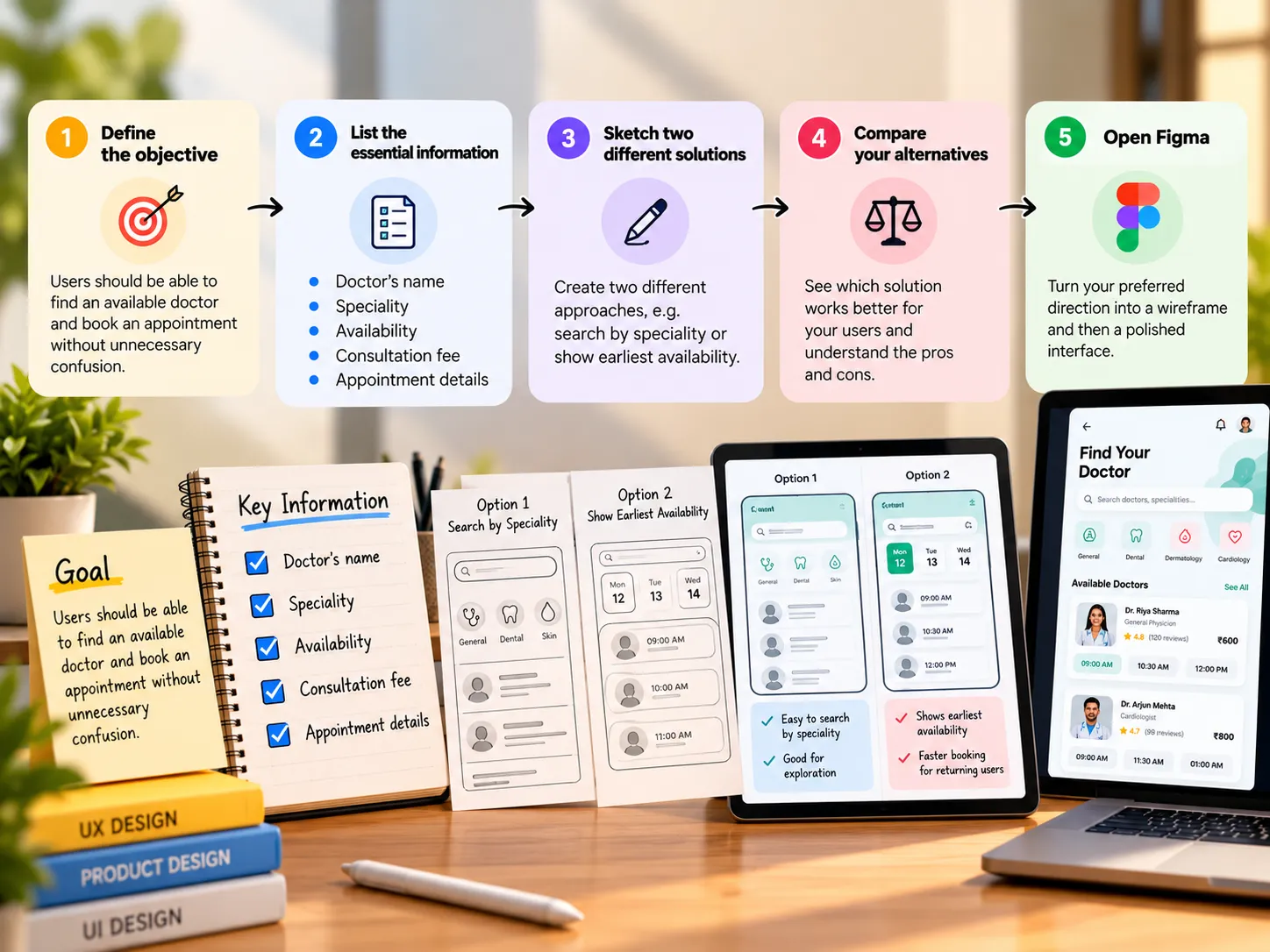
Imagine you need to design a mobile app for booking appointments at a local clinic.
Instead of searching for an existing healthcare app, start with the problem.
Step 1: Define the objective.
Users should be able to find an available doctor and book an appointment without unnecessary confusion.
Step 2: List the essential information.
Consider the doctor’s name, speciality, availability, consultation fee, and appointment details.
Step 3: Sketch two different solutions.
One version might prioritise searching by speciality. Another might highlight the earliest available appointment.
Step 4: Compare your alternatives.
Consider which solution better supports the intended users and why. You do not need to assume that one option is universally better.
165%: Median improvement in overall usability
Nielsen Norman Group reported a 165% median improvement in overall usability from the first to the final design iteration across four case studies.
Step 5: Open Figma.
Turn your preferred direction into a wireframe and then a polished interface.
Notice the difference: you are using Figma to develop an idea rather than using someone else’s design to decide what your idea should be.
Build a UI UX Learning Roadmap That Encourages Originality
A useful UI UX learning roadmap should help you progress from understanding design fundamentals to applying them independently.
When practising, try this sequence:
Understand the problem: Identify the user, their objective, and the difficulty they face.
Explore alternatives: Sketch at least two possible approaches before settling on one.
Create a wireframe: Focus on information structure and functionality before visual polish.
Develop the interface: Apply typography, spacing, colour, hierarchy, and reusable components.
Review your decisions: Identify what works, what feels confusing, and what needs improvement.
Explain your reasoning: Document why you chose your solution and what you would change after feedback.
For a deeper understanding of the software skills involved, read our Figma Beginner Guide Tutorial: What to Learn First, Next, and Why.
The important distinction is that learning a tool and learning to think like a designer are connected, but they are not the same thing.
Can You Develop Original Design Skills Through Free Resources?
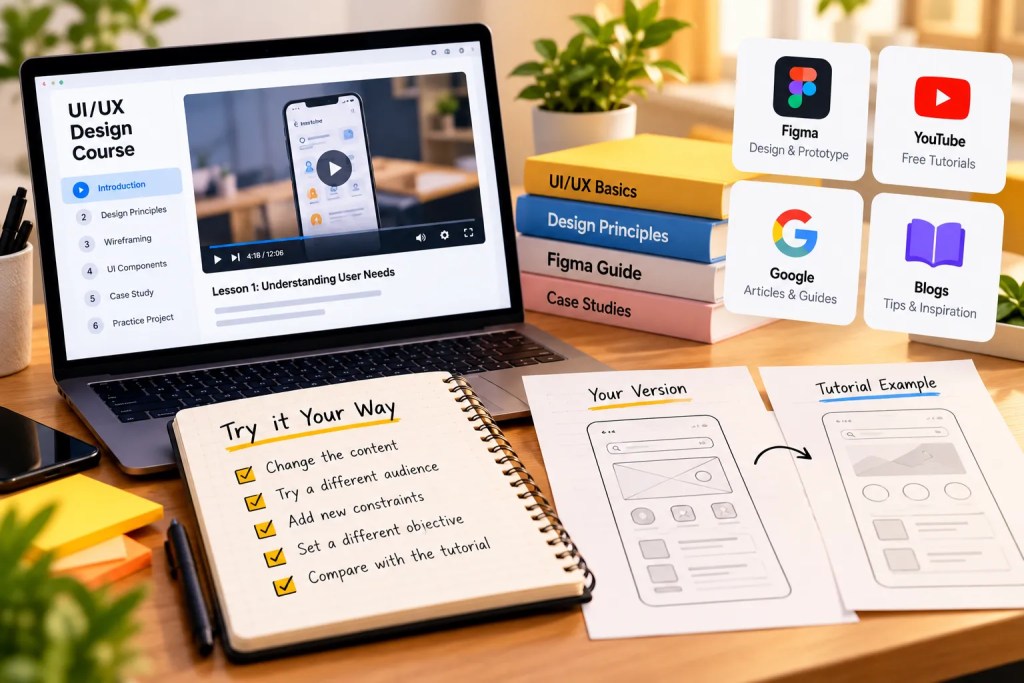
Absolutely. Exploring a UI UX learning free resource can help you understand design principles, discover new techniques, and practise with accessible tools.
The challenge is deciding how to use those resources.
Rather than following tutorials from beginning to end without experimentation, pause after each lesson and attempt the task independently. Change the content, audience, constraints, or product objective. Then compare your solution with the demonstrated example.
You can also explore a UI UX learning website for additional learning resources and practical guidance.
Remember that free learning materials can provide valuable knowledge. However, independent practice, constructive feedback, and opportunities to revise your work are equally important when developing your skills.
How to Use Design References Without Copying Them
You do not need to stop using inspiration. You need to change how you approach it.
Try following these rules:
Study patterns, not screenshots. Understand why navigation, cards, forms, and buttons are structured in particular ways.
Collect different references. Avoid relying on a single design as the blueprint for your entire project.
Close your references before designing. Apply what you learned from memory, then revisit the references to evaluate your choices.
Challenge your first solution. Ask whether another layout could solve the same problem more effectively.
Keep a record of your decisions. Document alternatives, feedback, and improvements to understand how your thinking develops.
This approach allows you to learn from experienced designers without losing your own ability to reason through design problems.
Conclusion: Learn to Think, Not Just Reproduce
The real progress in UI UX learning happens when you no longer need someone else’s screen to tell you what to create.
You begin with a problem, explore alternatives, make deliberate decisions, and improve your solution through feedback.
Your first independent design may not look as polished as your favourite reference. That is perfectly fine. The objective is to build the judgement that will help you create better work over time.
Start with one small project. Sketch two solutions before opening Figma. Explain your choices, review your work, and keep experimenting.
Inspiration can show you what is possible. Your design thinking determines what you create.
Stop Watching Tutorials. Start Designing for Real.
No coding. No confusing theory. Just practical UI UX skills, real projects, portfolio building, and mentorship that helps beginners become industry-ready designers.


Bidisha Sen
https://uiuxgrowthlab.comI’m a Lead UI/UX Designer and mentor with 3.5+ years of experience in UI/UX design. I transitioned into design after spending 5 years in IT business development, progressing from Business Development Executive to Senior Business Development Executive. Today, I combine my understanding of business, users, and design to help aspiring designers build practical skills and industry-ready portfolios.